01 · Features
What it does
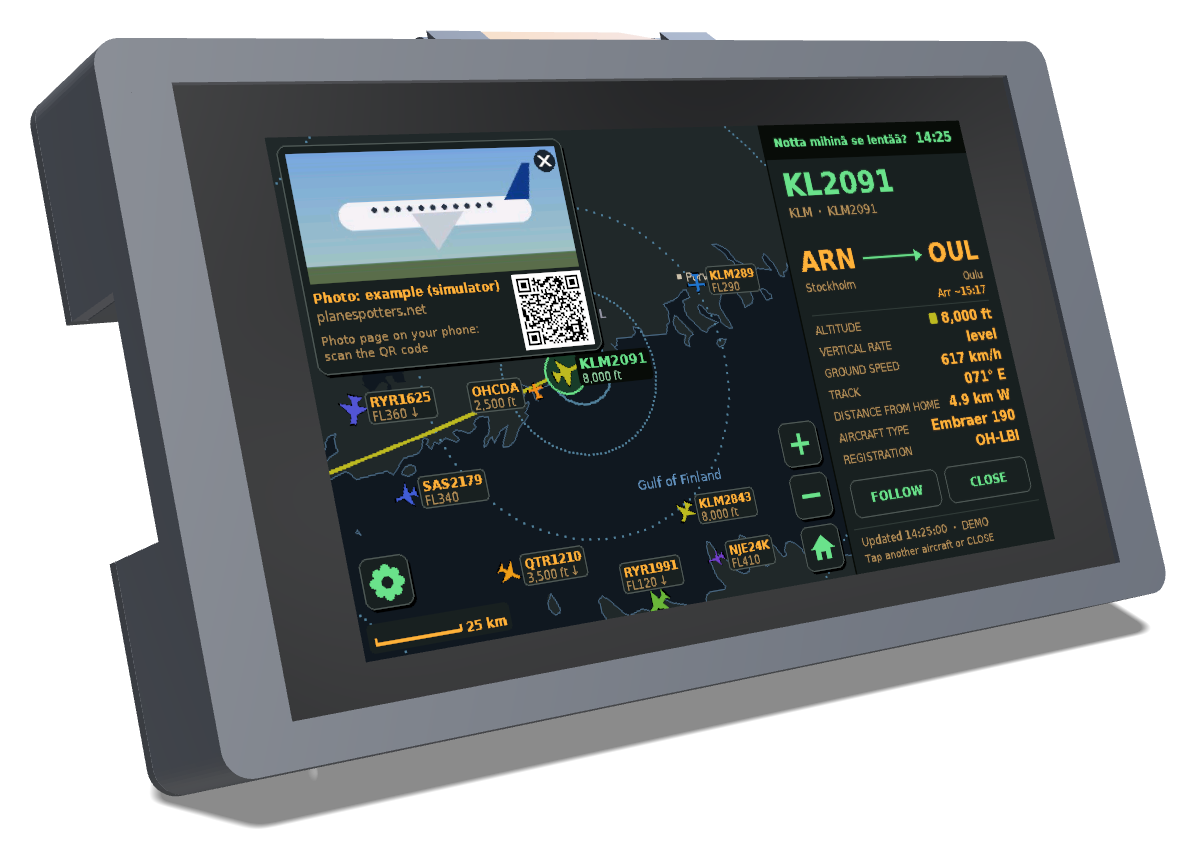
It uses the Waveshare ESP32-S3-Touch-LCD-7 and free community flight data. The screen is in English, and can be switched to Finnish.
01
The map
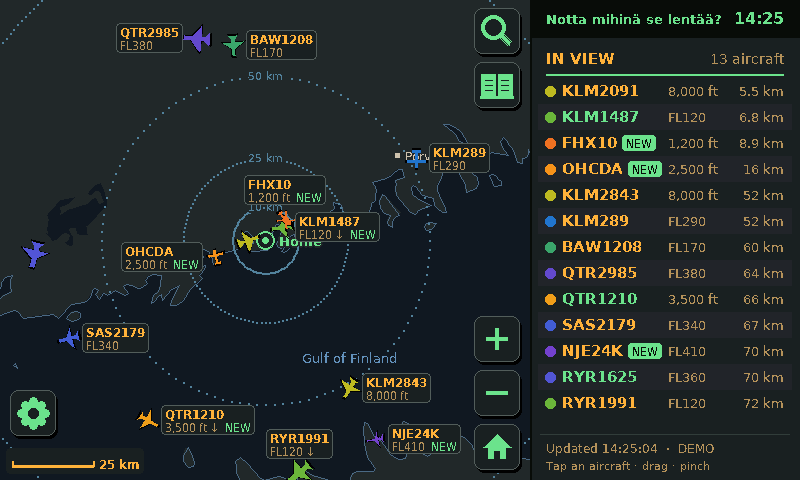
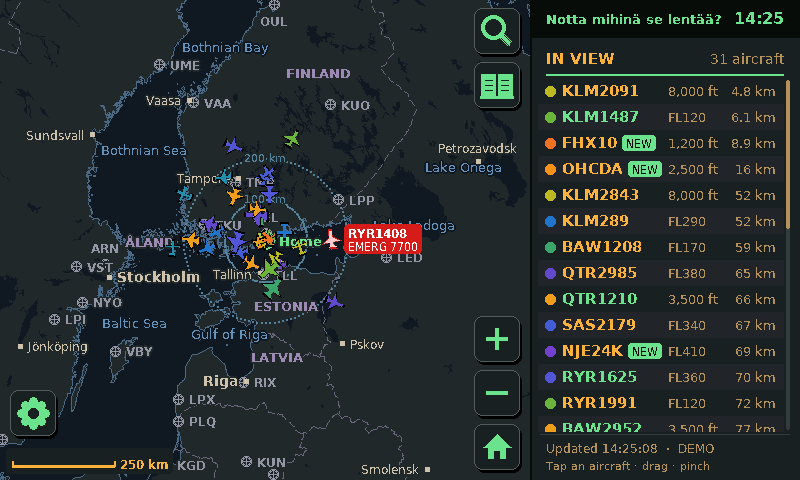
Positions update every four seconds, and the planes keep moving smoothly in between. The map has coastlines, lakes, towns, airports and runways, and you can drag and pinch from a single airport out to the whole world.
02
Tap a plane
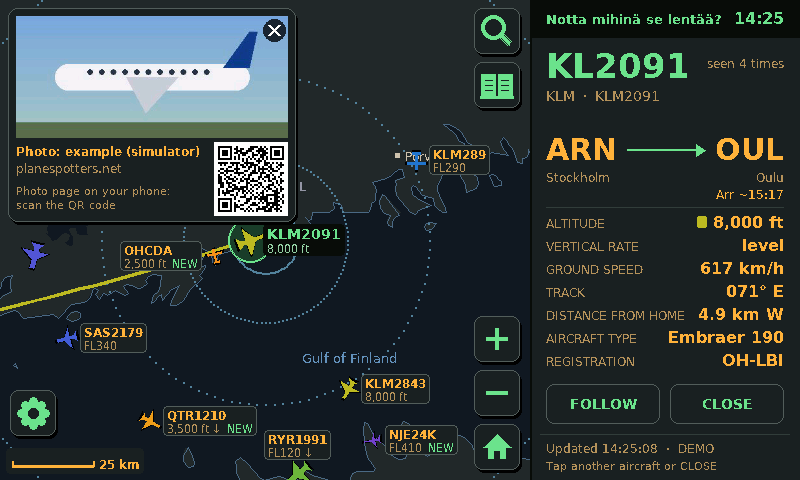
You get the route, an arrival estimate, altitude, climb rate, speed, heading, distance and aircraft type, and the map draws the path it has flown since take-off.
The photo comes from Planespotters.net, with the photographer's name and a QR code that opens the photo page on your phone.
Looking for a particular flight? The magnifier finds it anywhere in the world by flight number, callsign or registration, and the map follows it.
03
English or Finnish
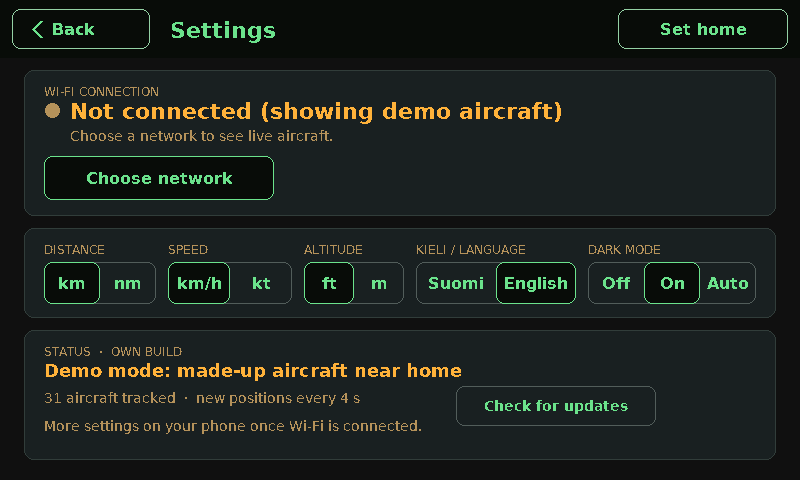
The whole interface and the map labels switch between the two, number formats included. Units are up to you too: km or nautical miles, km/h or knots, feet or metres.
04
Dark mode
Amber and green on near-black, so it doesn't light up a dark room. Keep it on all the time, or let it switch at sunset and back at sunrise, worked out for where you live.
05
Setting home
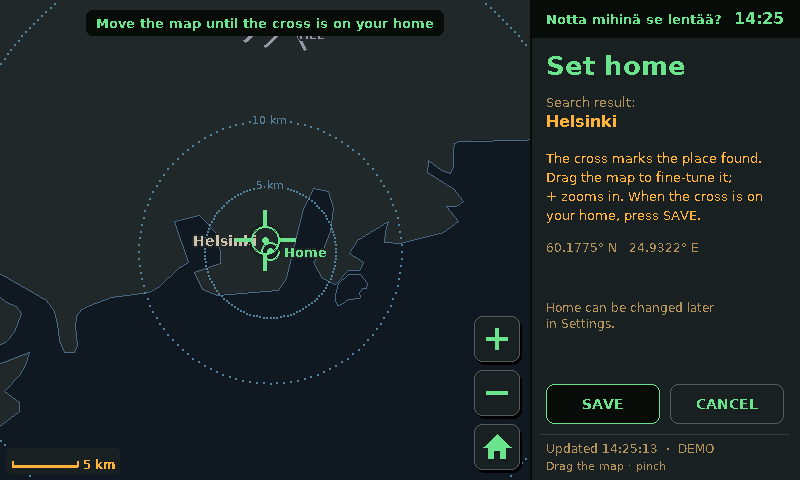
On first start it asks where home is. Type an address, pick the result (it uses OpenStreetMap's search), then drag the map until the cross is on your house.
06
The logbook
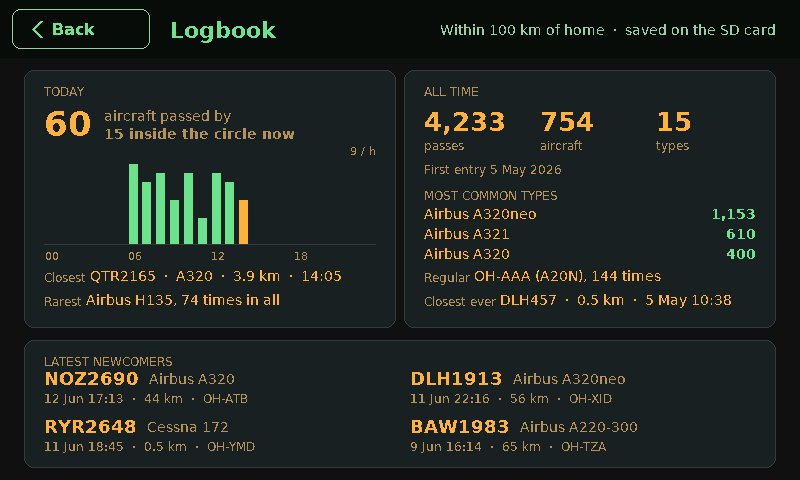
Every aircraft that passes near home is counted: how many went by today and when, the closest pass, the rarest type, and all-time numbers. A plane that has never been by before gets a green NEW on the map.
With a micro SD card in the back of the board, each month is saved as a file that opens in Excel, and the counts survive restarts.
07
Settings from your phone
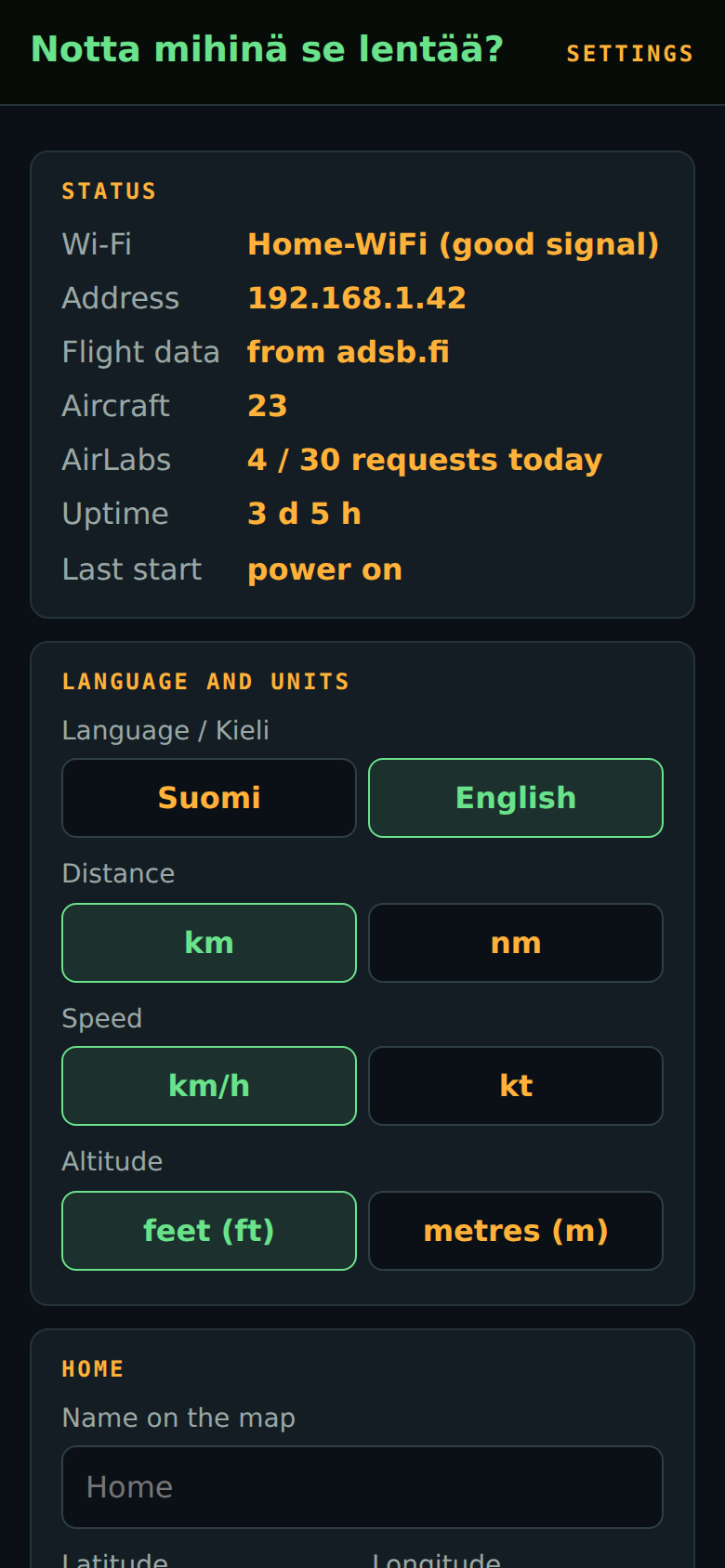
Wi-Fi is set up on the touchscreen. Everything else can also be changed from a small web page on the device: home, night hours, photos, language and units, and an optional AirLabs key for timetable data. Its address and a QR code are in the device's settings.
It's meant to run for months without attention: it reconnects after power and router cuts, restarts itself if something hangs, and turns the screen off at night.
02 · Build
Building one
No soldering. You need the board (touch version), a USB-C cable and a 5 V phone charger.
- Install the Arduino IDE 2 with the ESP32 board package 3.x and the libraries Adafruit GFX and ArduinoJson.
- Open
SkyTracker/SkyTracker.ino, set the board options from the guide (16 MB flash, OPI PSRAM, custom partitions) and upload. - Pick your Wi-Fi and home on the screen.
03 · Case
Case
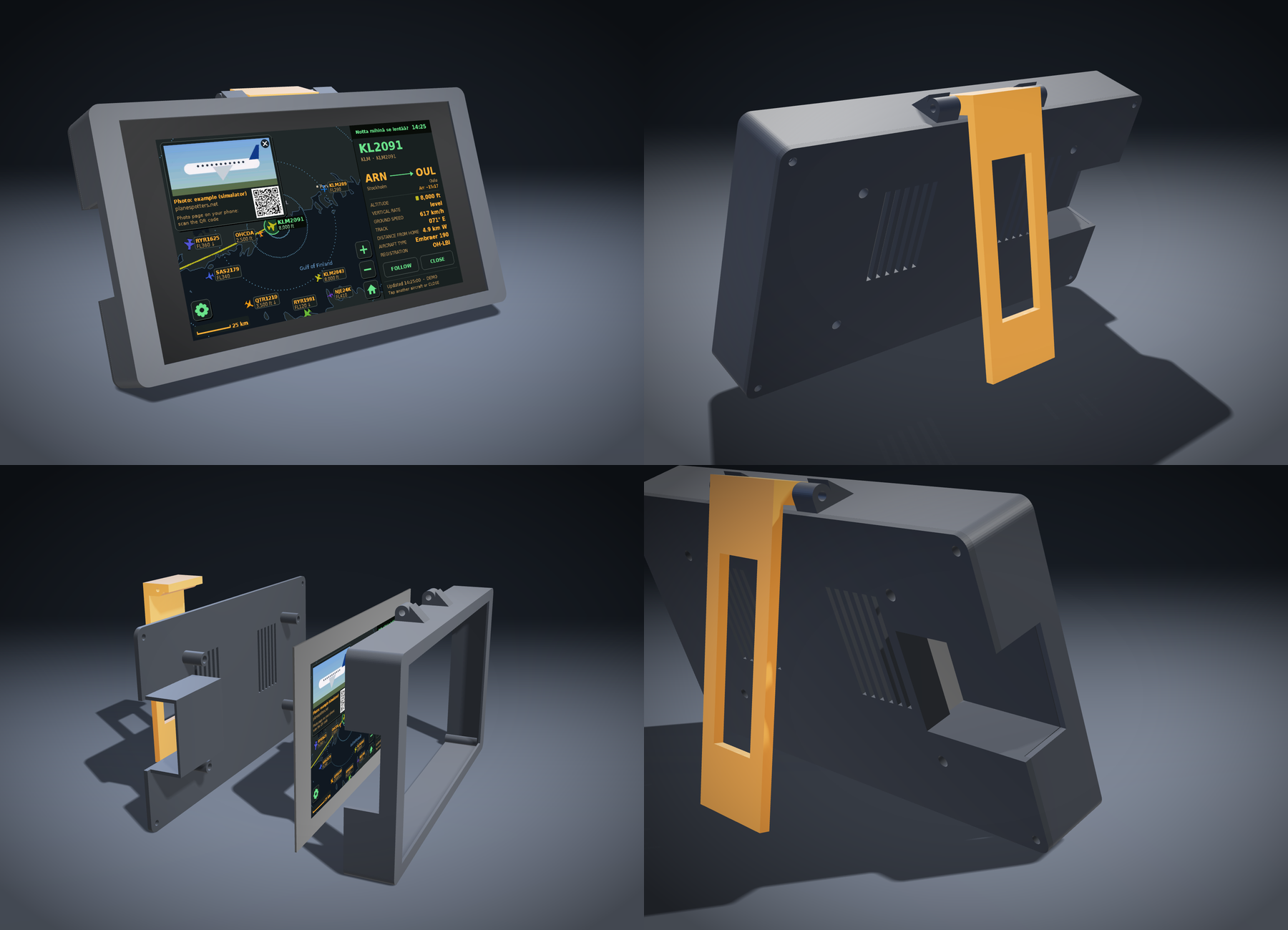
A printable case in three parts: a frame for the screen, a back plate that screws onto the screen's own standoffs, and a fold-out kickstand that leans it back 20°. All the screws are at the back, and the USB-C ports are reached from the side.
It prints without supports. There's a STEP file if you want to change it in your own CAD program.